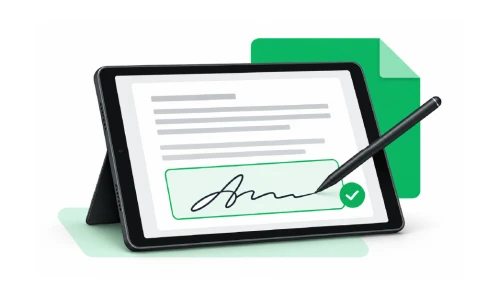
Document signing with an e-signature means signing a document electronically instead of on paper. The sender uploads the document, adds signer fields, and sends a signing request. Each signer completes it online, and the platform stores the signed copy along with a record of who signed and when. Done well, it replaces the print, sign, scan, and return cycle and gives you a verifiable record.
What Is Document Signing and e-Signature?
Document signing is the act of formally agreeing to a contract, form, approval, or other paperwork. An e-signature (electronic signature) is the digital version of that process. It lets signers review and sign documents from any device without printing or mailing anything.
Businesses use e-signatures for:
- Contracts and service agreements
- Proposals and approvals
- HR and onboarding documents
- Client engagement letters and legal paperwork
How Does e-Signature Document Signing Work?
- Upload or create the document.
- Add signer fields such as signature, initials, date, and text.
- Add signers and set the signing order if needed.
- Send the signing request by email or link.
- Signers review and sign on any device.
- Track progress and receive the completed document.
- Store securely for future reference.
Why Is Document Signing and e-Signature Important for Businesses?
Work often stalls until someone signs. On paper, a document may need to be printed, signed, scanned, and passed among several people. If one person misses it or can't access it, the whole process waits. Online signing removes those delays.
Key benefits of e-signature solutions:
- Faster turnaround: Documents are sent and signed remotely instead of waiting on mail or in-person meetings.
- Less paperwork: No printing, physical storage, or scanning. Files stay organized digitally.
- Remote convenience: Teams, clients, and partners across offices, cities, and countries can sign without meeting.
- Better tracking: You can see where each document stands at any time.
Multi-Party Document Signing: Managing Several Signers in One Workflow
Many documents need more than one signature, such as business contracts, legal agreements, and property documents. Multi-party document signing lets all signers take part in a single signing process instead of you sending separate copies to each person.
What to look for:
- One place to manage every signer and their status
- Signing order (sequential signing): one person signs before the next receives the document
- Parallel signing when order doesn't matter
- Clear status tracking so you know who has signed and who hasn't
Audit Trail e-Signature: Building a Reliable Signing Record
An eSignature with audit trail process records the activity around a document so you don't have to rely on memory or scattered emails. A good audit trail can show:
- When the document was sent
- When it was opened
- When each signer completed their signature
- The completion status of the whole workflow
These records help with compliance, internal reviews, and resolving questions later about who signed and when.
e-Signature for Legal Workflows and Law Firms
Law firms handle many documents that need client signatures, often inside an existing document management system. When evaluating a signing solution, think through how documents are uploaded, sent, signed, stored, and tracked.
XignDoc lets you prepare documents, add fields for signers, send signature requests, and monitor the status of each request. Firms can use it alongside their existing systems or as a simple standalone signing platform.
PracticePanther Electronic Signature
Firms using PracticePanther for practice management often look for a PracticePanther electronic signature option that keeps client agreements and engagement letters moving. Consider whether the signing tool fits into your intake, billing, and matter workflow.
NetDocuments eSign Plugin
Teams that store matter documents in NetDocuments may search for a NetDocuments eSign plugin so signing doesn't break their filing process. The key questions are how documents move in, how signed copies come back, and how easily you can file them.
iManage Digital Signature Tool
Organizations on iManage typically want an iManage digital signature tool that respects their document structure and access controls. Look for a way to send documents for signature, track them, and return completed versions to the right workspace.
SharePoint Legal Document Signer
A SharePoint legal document signer helps teams add signatures to documents already stored in SharePoint. Evaluate how easily you can move a document from a SharePoint library to signing and back, and whether permissions and records stay consistent.
Smokeball Document Signing Alternative
Firms researching a Smokeball document signing alternative usually want a straightforward signing experience that doesn't disrupt established workflows. Compare ease of setup, signer experience, tracking, and how completed documents are stored.
Important: Product names above belong to their respective owners. Only describe integrations or compatibility that XignDoc actually supports, and link to your documentation.
How to Choose an Easy and Secure Document Signing Solution
Simplicity is the goal, but security matters too. Documents often contain private business or client information. Evaluate:
|
Consideration
|
What to check
|
|
Ease of use
|
Can signers complete the process without an account or training?
|
|
Multi-party support
|
Does it handle several signers and signing order?
|
|
Audit trail
|
Does it record send, open, and signature events?
|
|
Security
|
Access controls, secure storage, and data protection practices
|
|
Storage & access
|
Where completed documents are kept and how you retrieve them
|
|
Workflow fit
|
Compatibility with your existing legal or document systems
|
|
Compliance
|
Alignment with the e-signature laws in your jurisdictions
|
Make e-Signature Part of Your Everyday Workflow
A simple process works well: create the document, add signers, send the request, track progress, and store the signed copy securely. Teams that follow this routine spend less time chasing paperwork and more time on customers, projects, and growth.
Final Thoughts: Simplify Document Signing with XignDoc
XignDoc helps businesses and legal teams manage document signing and e-signature workflows online. Whether you're replacing paper processes, improving remote collaboration, or looking for an efficient alternative to your current tool, you can send, review, sign, and manage documents without unnecessary delays.
Frequently Asked Questions
What is document signing?
Document signing is formally agreeing to a document by adding a signature. Online, this is done with an e-signature instead of pen and paper.
Are e-signatures legally valid?
In many countries, yes, under laws such as the ESIGN Act and UETA in the U.S. and eIDAS in the EU. Some document types have special requirements, so check with a qualified legal professional.
What is multi-party document signing?
It is a workflow where several people sign the same document, either in a set order or at the same time, managed from one place.
What is an audit trail in e-signature?
It's a record of signing activity, such as when a document was sent, opened, and signed.
Is e-signature secure?
Security depends on the provider's controls, access protection, and document storage. Review these before choosing a platform.
How does e-signature document signing work?
The sender uploads or creates the document, adds signer fields, adds signers, and sends the signing request by email or link. Signers review and sign on any device, and the sender tracks progress, receives the completed document, and stores it securely.
Why is document signing and e-signature important for businesses?
Work often stalls until someone signs. Online signing removes the delays of printing, signing, scanning, and passing documents among several people, and gives faster turnaround, less paperwork, remote convenience, and better tracking.
If there’s anything we haven’t covered here or you have any
specific questions about your account, just let us know and we’ll be happy to answer them. If
you’re not a customer yet but curious about our plans, contact
us