Are Electronic Signatures Legally Binding? What Attorneys Need to Know in 2026?
Electronic signatures can be legally binding when legal, consent, identity, and recordkeeping requirements are properly met.
Posted On: 8/18/2026
Created By: XignDoc
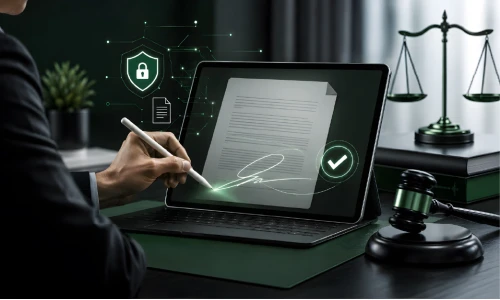
Electronic signatures can be legally binding when legal, consent, identity, and recordkeeping requirements are properly met.
For many law firms, printing a document, signing it, scanning it, and emailing it back feels like a waste of time now. Clients want fast digital service, and firms need a way to get documents signed without losing control over security or records. Electronic signatures solve this problem, but one question keeps coming up: are they actually legally binding?
The short answer is yes. However, you cannot assume that any electronic signature is valid for any document in any situation. The rules depend on the document type, the country or state involved, how the signer is identified, and whether they clearly meant to sign.
An electronic signature shows that someone agrees to or approves a document online. It doesn't always have to look like a handwritten signature. A person might type their name, click a signing button, or draw a signature on a screen.
You've probably used one without thinking about it. A client gets an engagement letter by email, opens it on their phone, clicks the signature field, and sends back the finished document. What matters isn't how the signature looks, but whether the process shows that the person meant to sign, with reliable evidence of what happened.
In most cases, legally binding electronic signatures are treated the same as traditional ones. Electronic transactions laws in different places generally give a legal framework for using electronic records and signatures, but the exact rules aren't identical everywhere.
For a law firm, the safer approach is to look past the signature itself. Ask whether the signer knew what they were signing, agreed to sign electronically, and can be reasonably identified. The document should stay intact, with records showing when and how signing happened. A good process builds this evidence automatically.
Legal validity doesn't mean every document can be signed online, though. Some need witnesses, notarisation, or a specific type of signature, so check the rules for the document and jurisdiction before sending anything out.
There's more to a reliable signature process than putting a name at the bottom of a PDF.
The signer should clearly intend to sign. A process shouldn’t leave someone wondering if clicking a button was really an agreement. Clear instructions and visible signature fields help.
The signer should understand and agree to sign electronically, not find this buried in fine print.
You need reasonable confidence the person signing is who they say they are, through email verification, a code, identity checks, or other security steps.
Once signed, a document's contents shouldn't be quietly changed. A trustworthy platform protects the document and offers proof if someone later questions it.
An audit trail shows who signed, when, and what else happened along the way. These records can be very useful if a signed document is ever challenged.

Not every electronic signature offers the same level of assurance, which matters for attorneys handling sensitive documents or working across borders. An ordinary electronic signature works fine for everyday transactions. A more advanced version provides a greater connection between the signature and the signer, with a greater assurance that the document has not been changed.
This is where the advanced electronic signatures law matters for legal professionals dealing with European transactions. Within the EU’s eIDAS framework, there are three types of signatures: simple, advanced and qualified, each with different requirements and legal weight.
For firms working with European clients, eIDAS compliant eSignatures are worth thinking about. Instead of picking a platform just because it lets someone click a signature box, attorneys should figure out what level of assurance their workflow actually needs.
Yes, for many common legal documents, as long as the right requirements are met. This can remove a surprising amount of routine paperwork from a firm's plate. Common examples include:
· Client engagement letters
· Legal intake forms
· Confidentiality agreements and NDAs
· Contracts and client authorisations
· Internal approvals
· Certain settlement documents
A power of attorney digital signing process deserves closer attention. Requirements vary a lot by jurisdiction and the type of authority being granted, and some situations call for witnesses or notarisation. Don't assume that because a document can technically be signed online, it automatically meets every legal requirement.
Picture a new client joining your firm. Before work can begin, there may be an engagement letter, privacy notice, consent forms, and intake documents that need to be completed and signed. Managing all that paperwork manually can quickly become time-consuming and frustrating for both your team and your clients.
A client onboarding signature tool brings these steps into a streamlined digital workflow. Instead of printing, scanning, and emailing documents back and forth, clients can receive everything digitally, review the paperwork, sign where required, and submit the completed documents online. Your team can easily track which documents have been completed and follow up on anything that's still outstanding.
For firms onboarding multiple clients, the time savings can add up quickly. Staff spend less time chasing signatures and organising paperwork and more time focusing on clients, casework, and other important responsibilities. A smoother onboarding process also gives new clients a more convenient and professional first experience with your firm.
Sending the same forms one by one to dozens of clients quietly consumes hours. Look for a system that lets you bulk send legal intake forms while keeping each client's information and signing process separate.
That’s great for companies with repeatable onboarding processes. You prepare the forms, send them to multiple clients, and monitor the signing status from one place. It reduces repetitive admin work without your team losing track of individual documents.
Legal documents can involve more than two people. A contract might need signatures from several parties, or move from a client to an attorney and on to another authorised person.
With multi party document signing, each person finishes their part without endless email attachments. Depending on the platform, you can set a signing order, notify each person when it's their turn, and track the document until everyone's done.
That creates a much cleaner workflow. Instead of asking who has the latest copy, your team can just check the signing status.

Choosing NDA electronic signature tool is much more than just comparing subscription prices. Security, records, usability, and compliance are all important because legal documents contain confidential information. Look for:
The best system isn't the one with the most features. It’s the one that fits how your firm already works.
· How to choose the best eSign for attorneys Document tracking – so your team can see what’s done or what’s left to do
Searching for the best eSign for attorneys should start with your firm's real needs. Before choosing a platform, ask:
For law firms looking for a practical way to handle digital signing, XignDoc combines everything into one workflow. You can send documents, collect signatures, and track activity digitally instead of printing, scanning, and emailing back and forth.
The platform works well for client onboarding, legal forms, agreements, and documents needing multiple signatures. Tracking and signing management help your team spend less time chasing paperwork and more time working with clients.
If your firm is thinking about electronic signatures, the goal isn't finding the fastest way to add a signature on a document. You want a process that supports security, clear consent, solid records, and the legal requirements that apply to your work. XignDoc can help make that easier to manage.
Electronic signatures can be legally binding when the applicable legal, security, and authentication requirements are met. For firms handling sensitive legal documents, choosing reliable electronic signature software such as Xigndoc can help streamline signing workflows while maintaining security and document integrity. A purpose-built solution can make it easier to send, sign, track, and manage documents digitally, reducing paperwork and creating a smoother experience for both firms and their clients.
Yes, in most cases electronic signatures are treated the same as traditional ones. However, validity depends on the document type, jurisdiction, how the signer is identified, and whether they clearly meant to sign. Some documents may still need witnesses or notarisation.
A legally valid electronic signature requires clear intent to sign, consent to sign electronically, reasonable signer identification, document integrity after signing, and an audit trail recording who signed and when.
An ordinary electronic signature works for everyday transactions, while an advanced electronic signature provides a stronger link between the signature and the signer, with greater assurance the document hasn't been altered. Under the EU's eIDAS framework, there are three levels: simple, advanced, and qualified.
Yes, for many common documents such as client engagement letters, intake forms, NDAs, contracts, internal approvals, and certain settlement documents — as long as the applicable requirements are met. Power of attorney documents need closer attention since requirements vary by jurisdiction.
Instead of printing, scanning, and emailing paperwork back and forth, clients can review and sign engagement letters, privacy notices, and intake forms digitally. This saves staff time and gives new clients a smoother first experience with the firm.
Bulk sending lets a firm send the same forms to multiple clients at once while keeping each client's information and signing process separate — useful for firms with repeatable onboarding processes.
Many legal documents need signatures from more than two people. Multi-party signing lets each person complete their part in a set order, with notifications and tracking, instead of relying on email attachments and manual follow-ups.
Key features include signer authentication, audit trails, document tracking, multi-party signing, bulk sending, templates, mobile sign-in, reminders, and compliance-related features relevant to legal work.
XignDoc combines sending, signing, and tracking documents into one workflow. It supports client onboarding, legal forms, agreements, and documents needing multiple signatures, reducing time spent chasing paperwork.
No. Legal validity depends on meeting the applicable requirements for that document and jurisdiction. Some documents still require witnesses, notarisation, or specific signature types, so firms should check the rules before sending documents for electronic signing.
If there’s anything we haven’t covered here or you have any specific questions about your account, just let us know and we’ll be happy to answer them. If you’re not a customer yet but curious about our plans, contact us