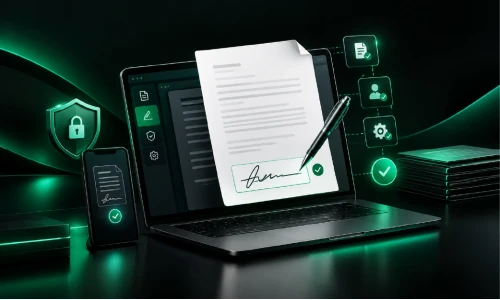
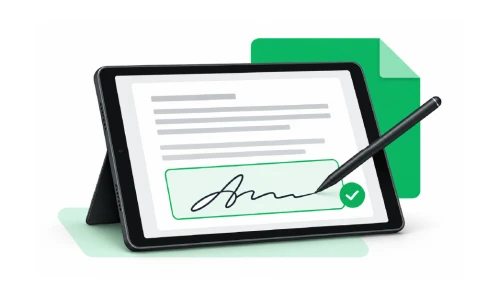
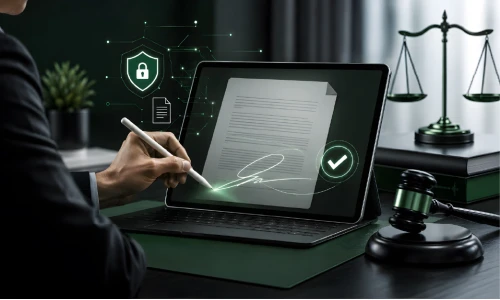
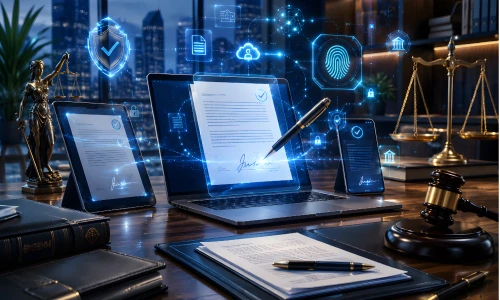
Managing legal agreements can often involve lengthy emails, printing, scanning, and waiting for signatures. For UK businesses, these extra steps can slow down deals and create unnecessary paperwork. An electronic signature offers a simpler way to sign and manage documents digitally, helping businesses save time and keep agreements organised. Whether you are handling contracts, NDAs, employment documents, or client agreements, digital signing can make the process faster and more convenient. With XignDoc, you can send documents for signing, track their progress, and store completed agreements securely all without relying on physical paperwork. It is a smarter way to manage agreements.
Types of Electronic Signatures and Agreements
There are three main types of electronic signatures commonly discussed under the EU’s eIDAS framework. These include: Simple Electronic Signatures (SES), Advanced Electronic Signatures (AES), and Qualified Electronic Signatures (QES).
1. A simple electronic signature is the most basic type. It could be a typed name, a signature image, or a signature created by clicking or drawing on a screen.
2. An advanced electronic signature provides stronger security and is linked more closely to the person signing. It can also help identify whether the signed document has been changed.
3. A qualified electronic signature has additional identity checks and uses a qualified certificate from an approved provider.
Electronic signatures can be used with many types of business agreements.
· A Non-Disclosure Agreement (NDA) helps protect confidential business information. A Service Agreement explains the services a business will provide and the terms involved.
· An Employment Agreement sets out the terms between an employer and an employee.
· Businesses may also use Independent Contractor Agreements when working with freelancers or contractors.
· A Lease Agreement sets out the terms for renting property or equipment.
Choosing the right electronic signature method depends on the document, the people involved, and the level of security required. Businesses should always check the relevant UK requirements before signing important legal documents.
Advantages of Digital Signatures
· One of the main advantages of digital signatures is convenience. People can sign documents online without printing, scanning, or posting paperwork. This can save time for businesses and customers.
· Digital signatures can also help reduce paperwork and make documents easier to manage. Businesses can send agreements to people in different locations and keep signed copies in digital storage.
· Another benefit is that digital signatures can improve document security. Some systems create a record showing when a document was signed and whether it was changed afterwards.
If you need to add signature to Word documents, digital signing tools can provide a simple way to complete the process. Depending on the document and signing method, users can add a signature without printing the file.
How Do I Create a Digital Signature?
Creating a digital signature can make signing documents much easier. Instead of printing a document, signing it by hand, and scanning it again, you can sign it electronically. To create an electronic signature, you can use an online signing service or a tool that supports electronic signatures.
The first step is to choose a trusted signing method. Depending on the service, you may be able to type your name, draw your signature with a mouse or touchscreen, or upload an image of your handwritten signature. You can then place the signature in the required part of the document.
Before completing the process, check the document carefully to make sure your name and other details are correct. Once you have added your signature, follow the service's instructions to save or send the completed document.
How to Create an Electronic Signature in Word Document?
Microsoft Word also provides ways to add an electronic signature in Word. One simple option is to insert an image of your handwritten signature. You can write your signature on paper, scan or photograph it, and save it as an image. You can then insert the image into your Word document and adjust its size and position.
What Makes a Legally Binding Electronic Signature?
A legally binding electronic signature is a digital way of showing that a person agrees to the terms of a document. In the UK, electronic signatures can be legally valid when certain requirements are met. The signer should intend to sign, and the signature should be linked to the person signing the document. The document should also clearly show what the person has agreed to. Some electronic signing services provide records that show when and how a document was signed, which can provide useful evidence. However, certain documents may have specific legal requirements, so businesses should check the rules that apply to their agreement.
What are the Legal Requirements for Electronic Signatures?
In the UK, legally binding electronic signatures can be used for many types of agreements, provided certain conditions are met.
· The person signing must show a clear intention to approve or agree to the document. The signature should also be connected to the person who is signing it.
· The people involved should agree to use electronic documents and signatures. This consent may be given directly, or it may be clear from the way the transaction is carried out. This allows the parties to communicate, sign, and manage agreements electronically.
· The signing process should help show who signed the document and protect it from unauthorised changes after signing.
Court-Admissible Electronic Signatures: What Every Business Needs to Know
Electronic signatures are widely used by businesses in the UK to sign contracts and other important documents. In many cases, court admissible electronic signatures can be accepted as evidence in legal proceedings. A signature is not rejected simply because it is electronic. UK law recognises the use of electronic signatures in many business situations.
Legal Framework & Admissibility
· Core Principle: When a court considers an electronic signature, it may look at whether the person intended to sign the document and whether the signature can be linked to that person. The way the document was signed and the circumstances around the signing may also be important.
· Evidence and legal value: Businesses should keep useful records of the signing process. These can include audit trails, timestamps, identity checks, and information about how the document was signed. Such records can help show who signed the document and whether it was changed afterwards.
However, some documents may have additional legal or witnessing requirements. Businesses should check the rules that apply to their specific agreement before using an electronic signature.
Retainer Agreement eSignature Made Simple
A retainer agreement sets out the terms between a business or professional and a client. It can explain the services being provided, fees, payment schedule, and other important conditions. Using a retainer agreement eSignature can make it easier for both parties to complete the agreement without printing and posting paperwork.
With an electronic signature, a business can send the retainer agreement directly to a client by email. The client can read the document and sign it online using a computer, tablet, or smartphone. Once the agreement is completed, both parties can keep a digital copy for their records.
Best NDA Electronic Signature Tool for Businesses
A Non-Disclosure Agreement (NDA) helps businesses protect confidential information, such as customer details, business plans, financial information, and new ideas. Using an NDA electronic signature tool can make the process of signing these agreements faster and easier.
XignDoc provides a digital way for businesses to send documents for signing without relying on printing, scanning, or posting paperwork. A recipient can review an NDA and sign it electronically from a suitable device, helping businesses complete agreements more efficiently.
When choosing an NDA electronic signature tool, businesses should consider features such as secure document handling, signing records, notifications, and an audit trail. These features can help businesses keep track of when a document was sent and signed.
For UK businesses, it is also important to consider the legal requirements that apply to electronic signatures and NDAs.
Easy and Efficient e-signatures with XignDoc
Managing documents, contracts, and business agreements can take time when everything depends on printing, scanning, and sending paperwork. E-Signatures offer a simpler way to complete documents online and keep the signing process organised.
XignDoc helps businesses manage electronic signing without making the process complicated. Documents can be sent to the required recipients, who can review and sign them digitally. This can be useful for contracts, NDAs, retainer agreements, employment documents, and other business paperwork.
Using e-Signatures can help reduce paperwork and make it easier to manage documents when people are working from different locations. Businesses can also benefit from features such as signing notifications and records of the signing process, helping them keep track of completed and outstanding documents.
If you want a faster and more convenient way to manage agreements, XignDoc can help simplify your document signing process. Contact XignDoc today for a smarter & faster way to manage legal agreements.
Frequently Asked Questions
Is an email signature the same as a legally binding electronic signature?
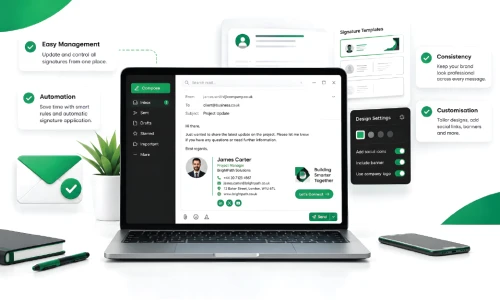
No, an email signature is just a sign-off block with your name, title, and contact details, and it doesn't show any intent to agree to a document's terms. Only a proper e-signature process that includes consent, identity verification, and an audit trail counts as legally binding.
What's the fastest way to create an electronic signature for a one-off document?
You can type your name into a signature field, draw it with a mouse or touchscreen, or upload a saved image of your handwritten signature. Most simple signing links don't require you to create an account or install any software.
How is a digital signature different from a scanned signature image?
A scanned image is simply a picture with no built-in security or verification behind it. A true digital signature can be tied to cryptographic checks that confirm the signer's identity and detect any changes made after signing, and the level of signature you need depends on the document and the risk involved.
Can I add an electronic signature to a Word document without printing it?
Yes, most e-signing tools let you upload a Word file directly, add signer fields, and send the signing request. The signer then completes it on screen, so there's no need to print, scan, or manually insert a signature image.
Do legally binding electronic signatures ever need a witness in the UK?
Most everyday business documents don't require a witness, but certain documents such as some deeds, wills, and specific property or statutory forms may still need one. It's always worth checking the requirements for your specific document before assuming an e-signature alone is enough.
What evidence helps if a court admissible electronic signature is ever disputed?
Helpful evidence includes timestamps showing when the document was sent, opened, and signed, the identity verification steps taken before signing, and a record confirming the document wasn't altered afterward. These records don't guarantee an outcome, but they do strengthen your position if a signature is ever questioned.
What should I check specifically before picking an NDA electronic signature tool?
It's worth checking whether confidential document content is encrypted both in storage and in transit, whether access is restricted to only the invited signers, and whether you receive a completion certificate for your records. Pricing is also worth comparing depending on whether you're signing occasional NDAs or handling a high volume of them.
Can a retainer agreement be sent, signed, and returned the same day?
Yes, the business can email the retainer agreement as a signing link, and the client can open it on any device and sign it immediately. Both sides receive a completed copy right away, without waiting on post or an in-person meeting.
If there’s anything we haven’t covered here or you have any
specific questions about your account, just let us know and we’ll be happy to answer them. If
you’re not a customer yet but curious about our plans, contact
us