Digital Signature Makes Business Signing Faster, Easier and Safer
Digital signature tools simplify contracts, bulk signing, identity checks and secure document sharing. Try XignDoc to sign smarter today!
Posted On: 11/12/2026
Created By: XignDoc
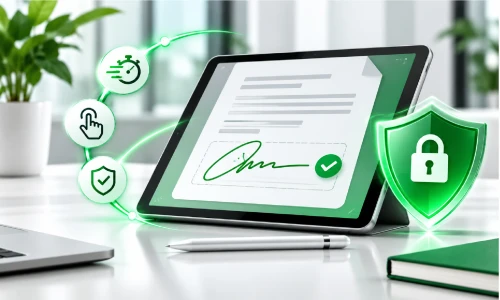
Digital signature tools simplify contracts, bulk signing, identity checks and secure document sharing. Try XignDoc to sign smarter today!
Running a business means dealing with contracts, customer forms, financial documents, and important agreements every day. Getting these documents signed can become stressful when people need to print, scan, sign, and email paperwork back and forth. A digital signature makes this process easier by allowing people to sign documents electronically from almost anywhere.
With XignDoc, businesses can send documents online, collect signatures, track progress, and manage completed agreements. This helps save time, reduce paperwork, and make everyday business activities more convenient.
A digital signature is an electronic way of showing that someone agrees with or approves a document. Instead of printing a document and signing it with a pen, users can complete the signing process online. Some electronic signatures use additional security technology, such as encryption and digital certificates, to help confirm that a document is genuine and has not been changed.
For businesses, this means fewer delays and a simpler way to handle important paperwork. XignDoc helps make this process easier with document sharing, signature tracking, notifications, and secure document storage.
Law firms regularly ask new clients to complete legal intake forms before starting work. These forms may collect contact information, case details, background information, and other important details. Sending every form individually can take valuable time, especially when a firm receives several new clients each week.
Using technology to bulk send legal intake forms UK businesses can simplify this process. Instead of preparing and emailing each request separately, staff can send legal documents to multiple recipients more efficiently.
This helps reduce repetitive administrative work and allows legal professionals to spend more time understanding their clients’ needs. Digital forms and electronic signatures can also make it easier for clients to complete paperwork without visiting an office.
Bulk Send is a feature that allows businesses to distribute the same document or signing request to several people at once. For example, an HR department may need employees to sign a new workplace policy, or a law firm may need multiple clients to complete similar forms. Sending each request individually can create unnecessary work.
With a bulk-send workflow, the sender prepares the document, adds the recipients’ email addresses, and sends the requests together. Each recipient receives an individual signing request and can complete their own document. The sender can then monitor progress, see which recipients have signed, and follow up with people who have not completed the process. XignDoc offers bulk-send functionality to help businesses manage multiple signature requests more conveniently.
Sending multiple signing requests does not have to be complicated. First, prepare the document you want recipients to sign. Check that the information is correct, the required signature fields are included, and the document is ready to share. Next, add the email addresses of the people who need to sign it.
Using a platform such as XignDoc, you can send bulk e-signature requests without repeating the same process for every recipient. Once the requests are sent, you can monitor their status through notifications and signing updates. If someone forgets to sign, you can send a reminder rather than starting the entire process again. This approach is useful for businesses, legal teams, HR departments, and organisations that regularly collect signatures from several people.
A Power of Attorney (POA) is an important legal document that gives another person authority to make certain decisions on someone else’s behalf. Because it can involve property, money, healthcare, or personal matters, it is important to prepare and execute the document correctly. Power of attorney digital signing may sound convenient, but not every POA can be completed using an ordinary electronic signature.
One common mistake is assuming that all legal documents follow the same signing rules. Another is forgetting that some POAs require witnesses, specific wording, registration, or other legal formalities. People may also fail to check whether the relevant jurisdiction accepts electronic execution for that particular document.
Before signing, confirm the requirements with a qualified legal professional. Never assume that an online signing platform automatically makes every Power of Attorney valid.
A Power of Attorney is a legal arrangement that allows one person, known as the donor, to give another person, known as the attorney, authority to make certain decisions on their behalf. It can be helpful when someone becomes unable to manage particular responsibilities independently or wants a trusted person to handle specific matters.
There are different types of Power of Attorney, and each serves a particular purpose. In England and Wales, common arrangements include:
· Ordinary Power of Attorney: Gives someone authority to manage certain financial matters while the person granting the authority has mental capacity.
· Lasting Power of Attorney (LPA): Allows someone to appoint a trusted person to make decisions about their health and welfare or property and financial affairs if they lose mental capacity.
· Enduring Power of Attorney (EPA): Older arrangements that can still apply to certain financial decisions and must meet specific rules.
The available types and their legal requirements can differ across the UK. Scotland and Northern Ireland have their own arrangements and terminology. Understanding which document you need is important for power of attorney digital signing. Always check the relevant government guidance or seek legal advice.
Digital signature can be legally binding in many business situations in the UK. The Electronic Communications Act 2000 recognises electronic signatures as admissible evidence in legal proceedings when considering the authenticity or integrity of electronic communications and data. The Law Commission has also explained that electronic signatures can be used to execute documents when the signer intends to authenticate the document and the required formalities are satisfied.
However, this does not mean every document can be signed electronically in every situation. Certain documents have additional requirements, such as witnessing or specific execution procedures. Businesses should check the rules that apply to each agreement before choosing a signing method. XignDoc helps businesses collect signatures and maintain signing records, making it easier to organise their electronic agreement workflows.
Managing financial documents with outdated systems can create problems for modern businesses. Traditional methods often involve printed invoices, paper agreements, manual approvals, and files stored in different locations. These processes can make it harder to find documents, monitor approvals, and keep track of important records.
Secure finance software and modern digital document tools offer a more organised approach. Businesses can share documents electronically, control access, track signing activity, and store completed files digitally. Features such as encryption, password protection, and authentication can help protect sensitive information. While XignDoc focuses on electronic document signing rather than replacing a complete accounting or financial management system, it can support financial workflows by making agreements and approvals easier to manage.
Contracts are an important part of almost every business relationship. Companies use them when hiring employees, working with suppliers, providing services, and entering partnerships. Delays in collecting signatures can slow down projects and make it difficult to move forward with important business decisions.
Online contracts signing gives businesses a convenient way to share agreements and collect approvals without relying on printing or posting documents. Customers and business partners can review and sign documents from their computers, tablets, or smartphones.
XignDoc allows businesses to send documents electronically, receive signing notifications, and monitor the progress of agreements. Digital signature can help reduce administrative delays and create a smoother experience for everyone involved.
Knowing who signed a document is an important part of managing electronic agreements. Without suitable identity checks, businesses may find it difficult to confirm whether the intended person accessed and signed a document. This is why identity verification for eSignatures plays an important role in building trust.
Identity verification can involve different methods, including email verification, one-time passcodes, password protection, and more advanced identity checks. The appropriate method depends on the sensitivity of the document and the level of assurance required.
XignDoc offers two-factor authentication using a one-time code to help restrict document access to authorised recipients. Businesses should select security measures that match their risks and legal responsibilities, particularly when handling confidential customer or financial information.
Following up with people who have not signed an agreement can take up a large part of the working day. Employees may forget to respond, clients may overlook emails, and business partners may need reminders before completing important paperwork. Managing all these follow-ups manually can become frustrating.
Agreement signing software makes it easier to manage the entire signing process. Businesses can send agreements, monitor document status, receive notifications, and remind recipients when action is required. Instead of searching through email conversations, teams can check their signing workflows in one place.
XignDoc supports digital signature activities by providing electronic document sharing, real-time updates, and reminders. This helps businesses stay organised and spend less time chasing paperwork.
Some legal documents require a witness to confirm that a person signed the document. A remote witness signature may appear to be an easy solution when the signer and witness are in different locations. However, the rules depend on the type of document and the applicable jurisdiction.
Managing agreements, legal forms, and business documents should not take more time than necessary. From sending individual contracts to handling bulk signature requests, digital signing tools can help businesses reduce paperwork and organise their document workflows. They also make it easier to track progress, receive notifications, and keep completed agreements accessible.
XignDoc offers a convenient way to send Word documents for electronic signing, collect signatures, manage bulk requests, and monitor signing activity. Whether you run a small business, manage a legal team, or handle HR paperwork, a simpler signing process can make everyday tasks easier.
Get started with XignDoc today and make digital signature faster, easier, and more secure for your business.
Yes, you can create a digital signature using a trusted e-signature platform or software that lets you sign documents electronically. In business use, the tool may also help verify identity and keep a record of the signing process for added confidence.
Upload the document into a digital signature platform, place your signature where needed, and complete any required verification steps. The signed file is then saved or sent back with an audit trail, making it easier to track who signed and when.
Some signature features may be available at no extra cost depending on the Google product, plan, or account type you use. If you need advanced business features such as workflows, bulk sending, or stronger tracking, a dedicated signature platform may be more suitable.
Electronic signatures can be legally valid, but the requirements depend on the type of document and the laws that apply in the relevant jurisdiction. In general, businesses should make sure the signer is identifiable and that the signed record can be retained securely.
A digital signature helps protect documents by linking the signature to the signer and making changes to the file easier to detect. Many systems also use encryption, authentication, and audit logs so businesses can manage sensitive documents with greater confidence.
Yes, digital signatures are legally recognized and enforceable in many jurisdictions, provided they comply with relevant regulations, such as the eIDAS Regulation in the EU and the ESIGN Act in the U.S. They utilize advanced security measures, including encryption and digital certificates, to ensure that the signatures are authentic and the documents remain unchanged, making them a secure option for business transactions.
If there’s anything we haven’t covered here or you have any specific questions about your account, just let us know and we’ll be happy to answer them. If you’re not a customer yet but curious about our plans, contact us